What is an online subtitle editor, and when to use one
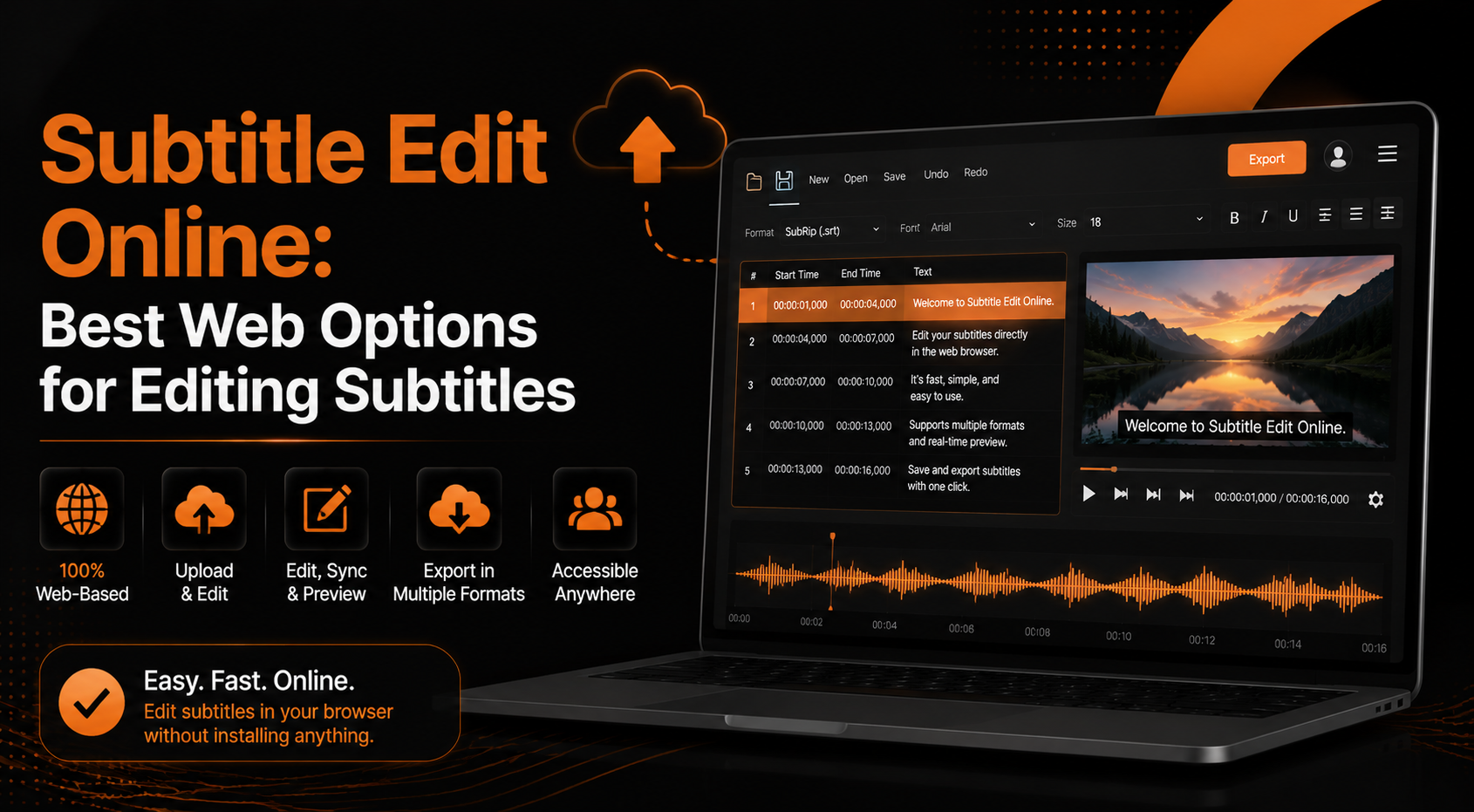
An online subtitle editor is a web-based tool that allows users to create, edit, sync, translate, and export subtitle files without installing software. These tools work directly in a browser and support common subtitle formats like SRT, VTT, and ASS.
They are useful for fixing timing issues, correcting text mistakes, adding translations, or preparing subtitles for videos on platforms like YouTube, social media, and online courses.
Online subtitle editors are commonly used by content creators, video editors, translators, and businesses that need quick subtitle adjustments without complex editing software.
Types of editors: manual, auto-transcribe + editor, and translator
Online subtitle editors are available in various types to suit different user needs. Manual editors allow complete control over subtitle text, timing, and formatting, making them suitable for detailed corrections.
Auto-transcribe editors use speech recognition to generate subtitles from audio or video. Users can then review and subtitle edit the generated captions for accuracy.
Translator-editors focus on converting subtitles into different languages while preserving the original timing and structure. These tools are useful for reaching a wider audience with multilingual content.
When to choose an online editor vs desktop software
An online subtitle editor is a better choice when you need quick edits, simple subtitle creation, or access from different devices. It is convenient for small projects and users who do not want to install additional software.
Desktop subtitle software is more suitable for advanced editing, large video projects, offline work, and professional workflows that require more control over files and settings.
Core features every good online subtitle editor should include
A reliable online subtitle editor should provide more than simple text editing. It should include tools for managing timing, improving accuracy, translating subtitles, and exporting files in common formats.
The best editors combine an easy interface with advanced controls, allowing both beginners and experienced users to create professional-quality subtitles quickly.
Interactive timeline and timecode editing
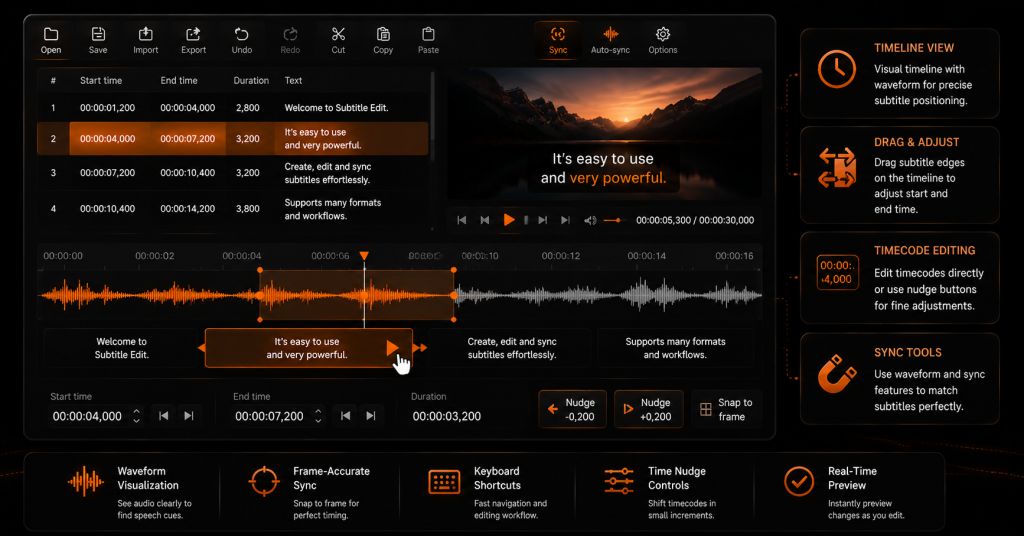
An interactive timeline helps users match subtitles with the exact moments in a video. It allows precise control over subtitle start and end times, making it easier to fix delays or early captions.
Timecode editing tools let users manually adjust subtitle timestamps, move multiple subtitle lines together, and maintain proper synchronization between audio and text.
A visual timeline interface is especially useful for longer videos because it provides a clear view of subtitle placement and reduces editing mistakes.
Auto-transcription, speaker detection, and confidence scoring
Auto-transcription features use speech recognition technology to convert spoken words from a video or audio file into subtitle text. This helps users create captions faster without having to type every line manually.
Some advanced editors can detect different speakers and separate their dialogue into individual subtitle sections. Confidence scoring also helps identify words or sentences that may need manual review due to unclear audio or pronunciation.
Translation, bilingual interleaving, and localization support
Translation features allow users to convert subtitles into multiple languages while keeping the original timing and structure. This is useful for creators who want to reach viewers from different regions.
Bilingual interleaving displays two subtitle languages together, such as the original language and its translation. Localization tools help adjust subtitles for cultural differences, expressions, and regional language preferences.
Format conversion, encoding handling, and export options
A good online subtitle editor should support multiple subtitle formats, including SRT, VTT, and ASS, so users can easily work with different platforms and video tools.
Encoding handling ensures that special characters, symbols, and different languages display correctly without formatting errors. Export options allow users to save subtitles in the required format or prepare them for specific platforms.
Styling, font, positioning, and burn-in vs soft subtitles
Subtitle styling tools allow users to customize font size, color, position, and appearance to improve readability. These options are helpful when creating subtitles for different screen sizes and viewing environments.
Burn-in subtitles are permanently embedded in the video and cannot be removed, whereas soft subtitles are separate files that viewers can enable or disable. Choosing between them depends on the publishing platform and the level of control needed.
Quality tools: find & replace, line length limiter, overlap fixer
Quality control tools help users improve subtitle accuracy and readability before exporting the final file. Find-and-replace features make it easier to correct recurring mistakes or update specific words across the entire subtitle track.
Line length limiters help keep subtitles easy to read by preventing overly long sentences on screen. Overlap fixers detect timing conflicts between subtitle lines and automatically help adjust their positions for smoother viewing.
Supported subtitle formats and compatibility
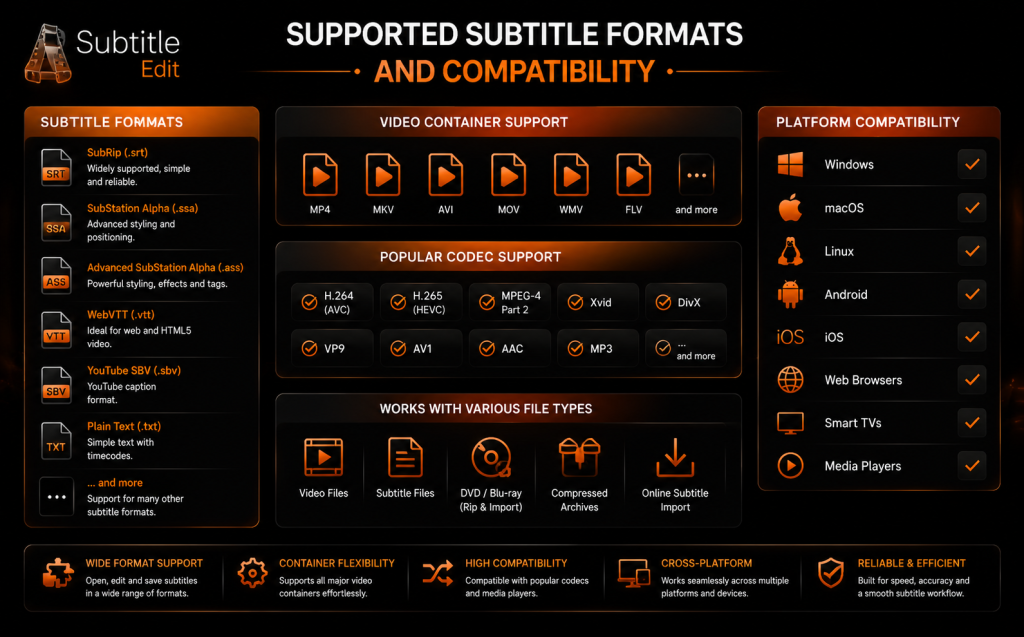
Online subtitle editors usually support popular formats such as SRT, VTT, ASS, and other caption file types used by video platforms and media players.
Format compatibility is important because different platforms may require specific subtitle files. A good editor should allow users to import, edit, and export subtitles without losing timing, formatting, or language information.
These compatibility features make it easier to use the same subtitle project across video editors, streaming platforms, and content management systems.
Edit text, split/merge lines, and remove tags
Text editing tools allow users to quickly correct spelling mistakes, update captions, and improve subtitle readability. Most online editors provide options to split long subtitle lines into smaller sections or merge short lines for better flow.
Removing unwanted tags and formatting marks helps keep subtitle files clean and compatible with different video platforms. These editing controls are useful for preparing subtitles before final export.
Adjust timing, shift ranges, and resolve overlaps
Timing adjustment tools help users accurately synchronize subtitles with spoken dialogue. Users can shift subtitle ranges, extend or shorten display times, and move multiple subtitle sections together when needed.
Overlap detection features identify subtitle lines that appear too close together or conflict with each other. Fixing these timing issues improves viewing experience and ensures captions remain clear and easy to follow.
Translate, review, and apply bilingual interleaving
Translation tools help users convert subtitles into different languages while keeping the original timing and structure. After translation, users can review the text to fix language errors, improve accuracy, and adjust phrases for better understanding.
Bilingual interleaving allows two languages to appear together, such as original dialogue with a translated version below it. This feature is useful for educational videos, international content, and audiences who need multilingual subtitles.
Export, download, and embed: SRT, VTT, and burned-in options
Export options allow users to save completed subtitles in common formats like SRT and VTT for use on video platforms, media players, and editing software.
Some editors also provide burned-in subtitle options, where captions are permanently added to the video. The right export method depends on whether users need flexible subtitle files or a final video with fixed captions.
Useful built-in tools and utilities
Many online subtitle editors include built-in tools that make subtitle creation and management easier. These utilities help users convert files, improve compatibility, and prepare subtitles for different platforms without using separate programs.
Converters and encoders
Subtitle converters allow users to convert files between formats such as SRT, VTT, and ASS while preserving timing and text information.
Encoding tools help ensure that different languages, special characters, and symbols display correctly. This prevents issues like missing letters or broken subtitle text when files are opened on different devices or platforms.
Live captions and real-time editing (Web)
Live caption tools generate subtitles in real time while audio or video is playing. They are useful for online meetings, live streams, webinars, and events where immediate captions are needed.
Real-time editing allows users to correct generated captions, adjust timing, and improve accuracy during the live session. These features help create more accessible content without waiting for manual subtitle creation.
Export destinations: video platforms, players, and CMS integrations
Online subtitle editors often support direct export for popular video platforms, media players, and content management systems. This makes it easier to publish subtitles without manually converting files.
Integration support helps creators upload subtitle files to websites, learning platforms, and video services while maintaining proper formatting and synchronization.
Frequently asked questions
Are online subtitle editors free to use?
Many online subtitle editors offer free versions with basic editing features such as text changes, timing adjustments, and file exports. Some advanced tools may require paid plans for features like automatic transcription, translation, or larger project support.
Can I edit SRT files online?
Yes, most online subtitle editors support SRT files. Users can upload an SRT file, edit subtitle text, fix timing issues, and export the updated version without installing additional software.
Do online subtitle editors support automatic subtitle generation?
Many modern online editors include auto-transcription features that convert speech into subtitles. Users can review and correct the generated captions to improve accuracy before exporting the final file.
Can I translate subtitles using an online editor?
Yes, many tools provide subtitle translation options. They allow users to convert subtitles into different languages while keeping the original timing and structure for better viewing experience.
What is the difference between burned-in and soft subtitles?
Burned-in subtitles are permanently added to a video and cannot be removed. Soft subtitles are separate files that viewers can turn on or off. The choice depends on how the video will be shared a
Conclusion
Online subtitle editing provides a simple way to create, edit, translate, and manage subtitles without installing complex software. With features such as timeline editing, automatic transcription, format conversion, and export options, these tools support various subtitle workflows.
Choosing the right editor depends on project needs, such as basic corrections, professional caption creation, or multilingual subtitle production. A reliable online tool can make subtitle editing faster and more accessible for creators and businesses.
Latest Post
- Is Subtitle Edit Safe? Download, Malware, and Security Checklist
- Subtitle Edit Online: Best Web Options for Editing Subtitles
- Is Subtitle Edit Open Source? Features, License, and Download Options
- How to Use Whisper Speech Recognition in Subtitle Edit
- Subtitle Edit for Mac: Setup Options and Best Alternatives