What Aegisub is and who should use it
Aegisub is free and open-source subtitle-editing software designed for creating, modifying, and styling subtitles with advanced control. It is especially known for its precise timing tools, powerful formatting options, and support for professional subtitle workflows.
The software allows users to adjust subtitle timing, edit dialogue text, apply custom styles, and synchronize captions with audio or video. Its advanced features make it popular among translators, fansub creators, anime subtitle teams, and video editors who need detailed control over subtitle appearance.
Aegisub is mainly suitable for users who want more than basic subtitle editing. Beginners can use it for simple subtitle creation, but learning the full range of tools may require some practice because the interface includes many professional options.
The software is a good choice for projects that require accurate timing, customized subtitle designs, and multilingual support. Users working on movies, online videos, educational content, or translated media can benefit from its detailed editing capabilities.
Install, launch, and open projects
Aegisub installation is a straightforward process that allows users to quickly set up the software for subtitle editing. After installation, users can launch the application and begin working with subtitle files, video sources, and audio tracks.
The project-based workflow helps organize subtitle-editing tasks by keeping timing, styling, and media information connected within a single workspace.
Installation overview (Windows, macOS, Linux)
Aegisub is available for multiple operating systems, including Windows, macOS, and Linux. Installation steps may vary depending on the platform, but the general process involves downloading the correct version and completing the setup.
Windows users usually have the simplest installation process, while macOS and Linux users may need additional compatibility steps depending on their system configuration.
Opening subtitle files and project workflow
Aegisub allows users to open existing subtitle files and continue editing them in a structured workspace. After loading a file, users can modify text, adjust timing, apply styles, and preview changes with the connected media.
The project workflow helps users manage complex subtitle tasks by keeping all editing elements organized during the production process.
Supported subtitle formats and importing
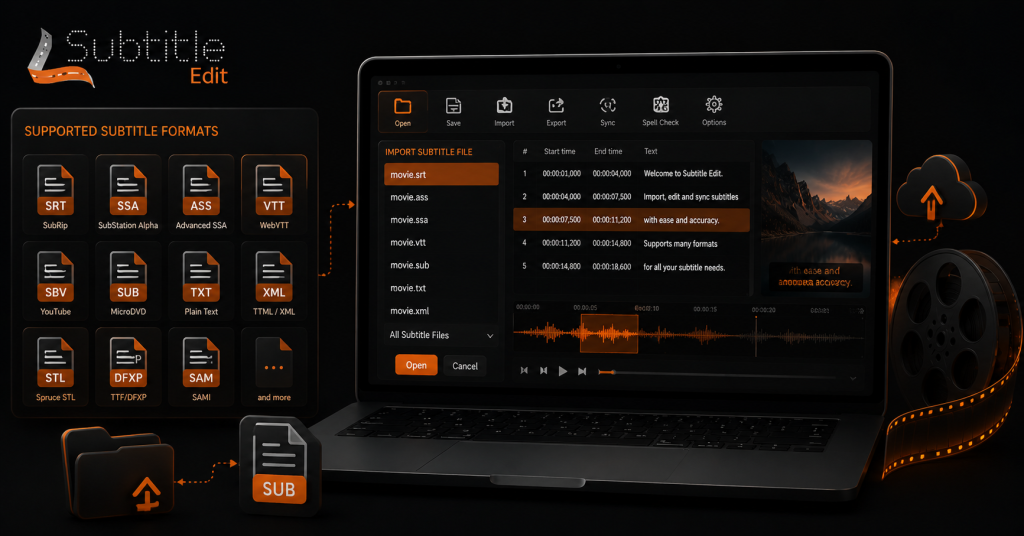
Aegisub supports several subtitle formats, with a strong focus on Advanced SubStation Alpha (ASS) files. These formats allow users to manage subtitle text, timing information, and visual styling details.
Supported formats (SRT, ASS/SSA, SUB, etc.)
Aegisub primarily supports the ASS and SSA subtitle formats, which offer advanced styling and positioning features. It can also handle other common formats such as SRT and SUB for basic subtitle editing tasks.
ASS format is especially useful for professional subtitle projects because it supports custom fonts, colors, positioning, and visual effects.
Importing subtitles from MKV
Aegisub can work with subtitle tracks extracted from MKV video files. Users can extract subtitle streams and import them into the editor for further adjustments.
This is useful when modifying existing subtitles from movies, shows, or archived video content while keeping the original timing information.
Importing plain-text scripts and transcripts
Users can import plain-text scripts and transcripts into Aegisub to create subtitles from written dialogue. After importing, the text can be divided into subtitle lines and synchronized with the video.
This workflow is helpful for creating subtitles from interviews, lectures, and other dialogue-based content.
Batch import and merging sources
Aegisub allows users to manage multiple subtitle sources during complex projects. Combining information from different files can help create a complete subtitle track.
This is useful when working with translated versions, updated scripts, or multiple subtitle drafts.
Aegisub interface and key panels
Aegisub provides a workspace designed for detailed subtitle editing. The interface includes dedicated areas for subtitle lines, text editing, video preview, and timing adjustments.
Main window layout and panels (image)
The main Aegisub window is divided into several panels that support different editing tasks. Users can access subtitle lists, editing controls, audio tools, and video previews from the same workspace.
This layout allows users to switch quickly between writing subtitles, adjusting timing, and checking visual results.
Subtitles grid: columns, selection, and navigation (image)
The subtitles grid displays all subtitle lines with key details, including start time, end time, duration, and text content. Users can select individual lines, move between entries, and organize subtitles efficiently.
The grid makes it easier to review large subtitle files and identify timing or formatting issues.
Subtitles edit box: text entry, markup, and context menu
The edit box is used to enter subtitle text and apply formatting changes. Users can add ASS tags, edit dialogue content, and access additional options through the context menu.
This section provides direct control over how subtitles appear and behave on screen.
Audio/video preview and waveform controls (image)
Aegisub includes audio and video preview tools that help users synchronize subtitles accurately. The waveform view allows users to identify speech patterns and match subtitle timing with dialogue.
These controls are important for creating frame-accurate subtitles and improving overall timing quality.
Basic subtitle editing workflow
Aegisub provides a complete workflow for creating and refining subtitles. Users can add dialogue, adjust timing, and improve subtitle appearance through different editing tools.
Creating, splitting, joining, and deleting lines
Users can create new subtitle lines, split long sentences, join related dialogue, or remove unnecessary entries. These options help maintain proper subtitle readability and timing.
Organizing subtitle lines correctly improves the viewing experience and keeps dialogue easy to follow.
Adjusting timing: start/end, duration, and shifting
Timing tools allow users to control when subtitles appear and disappear. Users can change start and end times, adjust duration, and shift multiple lines together.
These features help fix synchronization issues and ensure subtitles match the spoken content.
Using waveform and visual cues for frame-accurate timing
The waveform view provides visual information about audio activity, making precise subtitle timing easier. Users can set subtitle start and end points based on actual speech patterns.
This approach helps create accurate subtitles without relying only on manual timing estimates.
Undo, history, and autosave best practices
Aegisub provides undo options that allow users to reverse recent changes during editing. Maintaining regular saves helps protect subtitle projects from accidental data loss.
Users working on large projects should save versions regularly and keep backup copies for safer workflow management.
Styling, typesetting, and ASS features
Aegisub is well known for its advanced subtitle styling capabilities. The ASS format allows users to create customized subtitles with detailed visual control.
Managing and applying styles
Users can create subtitle styles that define fonts, colors, sizes, spacing, and positioning. Applying consistent styles helps maintain a professional appearance across the entire subtitle project.
Inline ASS tags: common tags and use cases
ASS tags allow users to apply specific formatting directly to subtitle lines. Common uses include changing colors, adding bold or italic text, adjusting size, and controlling subtitle movement.
These tags provide flexibility for creating customized subtitle effects.
Positioning, karaoke, and advanced typesetting techniques
Aegisub supports advanced typesetting features such as subtitle positioning and karaoke effects. These tools are commonly used for animated subtitles, music videos, and stylized content.
Advanced typesetting allows creators to design subtitles that match a video’s visual style.
Automation, macros, and scripting
Aegisub includes automation features that help users speed up repetitive subtitle tasks. These tools are useful for advanced workflows where multiple changes need to be applied efficiently.
Running built-in automation and batch operations
Built-in automation tools allow users to perform tasks such as formatting adjustments, timing changes, and subtitle processing. Batch operations help manage larger projects by reducing manual editing work.
These features are especially useful for users handling multiple subtitle files or professional subtitle production tasks.
Creating and applying simple scripts/macros
Aegisub provides automation features that allow users to create and apply scripts or macros for repeated subtitle tasks. These tools can reduce manual work by applying common changes automatically.
Simple scripts can help with tasks like formatting adjustments, timing corrections, and subtitle cleanup. They are useful for users who regularly handle large subtitle projects.
Saving, exporting, and format conversion
Aegisub allows users to save subtitle projects and export files in various formats to suit their needs. Proper export settings help maintain timing, formatting, and compatibility with different media platforms.
Exporting to SRT, ASS, and other formats
Aegisub works best with ASS and SSA formats because they support advanced styling features. Users can also export subtitles to simpler formats, such as SRT, when basic compatibility is required.
Choosing the correct format ensures subtitles work properly with different video players, editing software, and online platforms.
Embedding subtitles into video vs. separate files
Subtitles can be used as separate files or embedded directly into a video. Separate subtitle files allow viewers to turn captions on or off, while embedded subtitles become a permanent part of the video.
The choice depends on the project requirements, platform support, and the need for subtitle flexibility.
Handling character encoding and line-break issues
Character encoding problems can cause incorrect symbols or unreadable text in subtitle files. Selecting the correct encoding helps maintain proper display for different languages and special characters.
Line-break settings are also important because poorly divided subtitle lines can reduce readability. Proper formatting keeps subtitles clear and easier to follow.
Common tips, best practices, and troubleshooting
Using the right workflow can make subtitle editing faster and more reliable. Aegisub provides many tools, but following basic practices helps avoid common mistakes during production.
Workflow tips for speed and consistency
Users can improve efficiency by creating reusable styles, organizing subtitle files properly, and using shortcuts for common actions. Regular saving and maintaining consistent formatting can make large projects easier to manage.
Planning subtitle structure before editing also helps maintain quality throughout the project.
Fixing common timing, formatting, and display problems
Common issues such as incorrect timing, missing styles, or subtitle display errors can usually be fixed by checking timestamps, formatting settings, and file compatibility.
Reviewing subtitles with the video preview helps identify problems before final export.
When to use Aegisub versus other subtitle tools
Aegisub is a strong choice for users who need advanced subtitle styling, precise timing control, and detailed ASS formatting. It is especially useful for fansubs, animated content, and projects requiring custom subtitle designs.
Users who only need quick caption editing or automatic transcription may prefer simpler subtitle tools. The best choice depends on the level of control and features required.
Conclusion
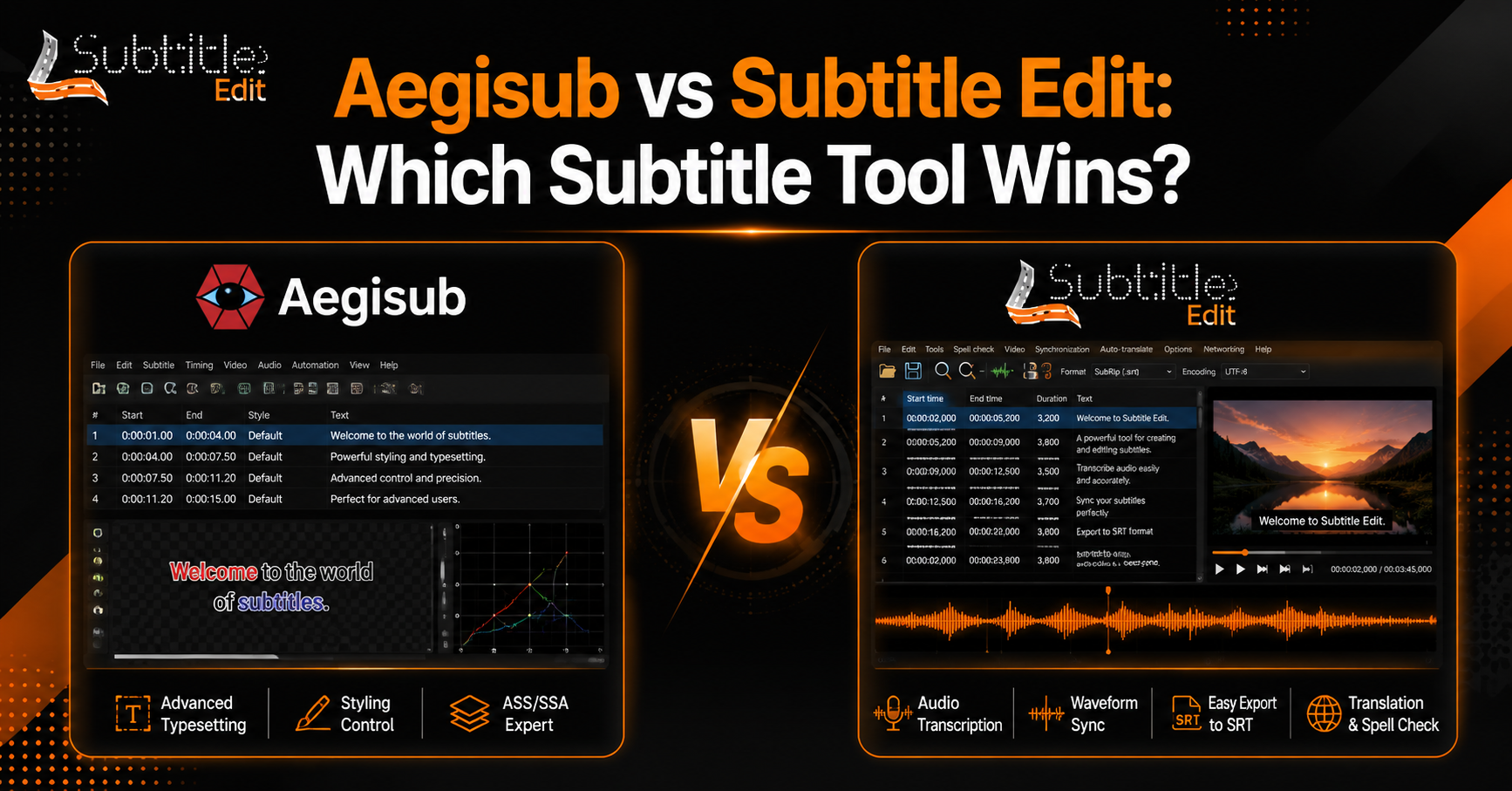
Aegisub and Subtitle Edit are both powerful subtitle editing tools, but they are designed for different types of users and workflows. Aegisub focuses more on advanced subtitle styling, typesetting, and precise control over ASS formats, making it popular for projects that require detailed visual customization.
Subtitle Edit is more focused on general subtitle creation, synchronization, conversion, and accessibility features. Its wide-format support, OCR tools, and translation options make it a practical choice for users who need a complete subtitle-editing solution.
Choosing between Aegisub and Subtitle Edit depends on the project requirements. Users working on animated content, stylized subtitles, or advanced formatting may prefer Aegisub, while users handling general video subtitles, translations, and file conversions may find Subtitle Edit more suitable.
FAQs
Which is better, Aegisub or Subtitle Edit?
The better option depends on the user’s needs. Aegisub is better for advanced subtitle styling, ASS formatting, and detailed typesetting. Subtitle Edit is better for general subtitle editing, synchronization, OCR, translation support, and working with many file formats. Both tools are capable, but they serve different subtitle workflows.
Is Aegisub easier to use than Subtitle Edit?
Subtitle Edit is generally easier for beginners because it provides a simpler interface and focuses on common subtitle tasks. Aegisub offers more advanced controls, but its features may require more time to learn. Users who need professional styling options may find the extra complexity worthwhile.
Can both Aegisub and Subtitle Edit edit SRT files?
Yes, both applications can work with SRT subtitle files. Subtitle Edit provides stronger support for converting between different formats, while Aegisub is mainly optimized for ASS and SSA formats where users need advanced styling and positioning features.
Which software is better for subtitle synchronization?
Subtitle Edit provides more dedicated synchronization tools, including waveform views, automatic timing adjustments, and audio-based correction features. Aegisub also offers accurate timing tools through its audio workspace, but it is more focused on manual precision and advanced subtitle creation.
Is Aegisub better for anime and styled subtitles?
Yes, Aegisub is widely used for anime and stylized subtitle projects because of its powerful ASS formatting features. It allows creators to design custom fonts, colors, positioning, karaoke effects, and visual subtitle animations that require detailed control.
Can Subtitle Edit replace Aegisub?
Subtitle Edit can replace Aegisub for many standard subtitle tasks, such as editing, syncing, translating, and converting subtitle files. However, users who depend on advanced typesetting, complex styling, or karaoke effects may still prefer Aegisub for those specific requirements.
Latest Post:
- Is Subtitle Edit Safe? Download, Malware, and Security Checklist
- Subtitle Edit Online: Best Web Options for Editing Subtitles
- Is Subtitle Edit Open Source? Features, License, and Download Options
- How to Use Whisper Speech Recognition in Subtitle Edit
- Subtitle Edit for Mac: Setup Options and Best Alternatives